

Disclosure: This post contains affiliate links. If you sign up for Wise using the links below, we may earn a small commission at no extra cost to you. We only recommend platforms we personally use and trust.
If you work online, run an international business, or manage remote teams, you know the frustration of traditional cross-border payments.
Between hidden bank markups, unexpected intermediary transfer fees, and PayPal’s hefty conversion margins, you end up losing a significant portion of your hard-earned revenue every time money crosses a border.
Wise formerly TransferWise was built to solve this exact problem. Today, over 10 million people and businesses use Wise to send, receive, and hold 40+ currencies at the real mid-market exchange rate.
Whether you need a personal account for travel and client transfers or a multi-currency business account to manage global invoice payments, this guide explains how Wise works, how much it can save you, and which account type is right for you.
Why Choose Wise?
| Feature | Wise Personal | Wise Business | Traditional Banks / PayPal |
| Exchange Rate | Real Mid-Market Rate | Real Mid-Market Rate | Up to 3%–5% Hidden Rate Markup |
| Account Opening Fee | $0 / Free | Small one-time fee (location dependent) | Varies / Often requires minimum balance |
| Monthly Subscription | $0 / Free | $0 / Free | $10 – $30+ Monthly Account Fees |
| Supported Currencies | 40+ Currencies | 40+ Currencies | Typically 1–3 Currencies |
| Dedicated Local Account Details | Yes (USD, EUR, GBP, AUD, etc.) | Yes (USD, EUR, GBP, AUD, etc.) | Local Country Only |
| Batch Payments & Invoicing | No | Yes (Up to 1,000 transfers at once) | Extra fees or specialized software needed |
| Accounting Integrations | No | Yes (Xero, QuickBooks, Sage) | Extra integration cost |
👉 Open a Free Personal Account with Wise Here
👉 Create a Wise Business Account & Scale Globally
What Makes Wise Different? (The Mid-Market Exchange Rate)
Most traditional banks and payment processors offer “fee-free” or “low fee” transfers. However, they conceal their costs inside an inflated exchange rate.
When a standard bank or e-wallet converts your USD to EUR or GBP, they add an exchange rate markup (often between 2% and 5%). On a $5,000 transfer, that hidden markup alone costs you $100 to $250.
Wise operates differently:
- The Real Rate: Wise converts your money using the mid-market rate the exact exchange rate you see on Google or Reuters.
- Transparent Fees: You pay a small upfront fee, usually starting at 0.33%, shown clearly before you execute any transaction.
- Speed: Over 65% of transfers through Wise arrive instantly or within minutes.
Wise Personal vs. Wise Business: Which Do You Need?
Wise offers two distinct account types depending on your payment needs.
1. Wise Personal Account
The Personal account is ideal for digital nomads, expats, travelers, and individuals sending money to family overseas.
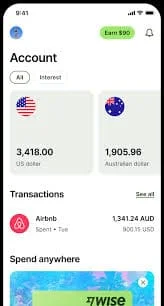
- Multi-Currency Wallet: Hold and convert between 40+ currencies in one app.
- Local Bank Details: Get unique account details for USD, EUR, GBP, AUD, and JPY to receive transfers like a local resident.
- Wise Debit Card: Spend globally in local currencies without foreign transaction fees.
👉 Get Started with Wise Personal for Free
2. Wise Business Account (Recommended for Freelancers & Agency Owners)
If you operate as a freelancer, agency owner, contractor, or eCommerce seller, opening a Wise Business account is the smartest move for your cash flow.
Note: Wise terms prohibit using a Personal account for commercial transactions. A Business account keeps your corporate finances compliant and unlocks professional workflow features.
Key Features of Wise Business:
- Pay Invoices in Bulk: Send up to 1,000 payments globally in a single click ideal for paying international contractors or overseas suppliers.
- Seamless Accounting Sync: Connect directly with Xero, QuickBooks, and Sage to automatically reconcile multi currency invoices.
- Multi-User Access & Expense Cards: Issue physical and virtual spending cards to employees, complete with custom spending limits and real-time tracking.
- Receive Direct Client Payments: Accept payments via direct debit, Stripe, Amazon, and local bank transfers without currency conversion losses.
👉 Open Your Wise Business Account Today
How to Get Started with Wise in 4 Simple Steps
Getting set up with Wise takes less than 10 minutes:
- Sign Up: Click on the link below to visit Wise and create your account.
- Create Your Wise Account Here
- Verify Your Identity: Upload a valid government-issued ID (passport or driver’s license) and proof of address for security verification.
- Set Up Your Multi-Currency Balances: Choose the currencies you want to hold, whether USD, EUR. GBP, AUD, or JPY, and activate your local bank account numbers.
- Send or Receive Funds: Give your local bank details to clients to get paid fee-free locally, or fund your transfer via standard bank deposit/card to pay overseas vendors instantly.
Is Wise Worth It?
If you conduct any cross-border finance, Wise is one of the most effective tools to cut costs and streamline international transactions. By using the real mid-market rate and eliminating hidden account upkeep fees, it delivers a level of transparency and savings that traditional banking systems struggle to match.
For freelancers, agencies, and online businesses, Wise Business is an essential platform that protects profit margins from high FX conversion fees.
👉 Ready to lower your global payment fees?