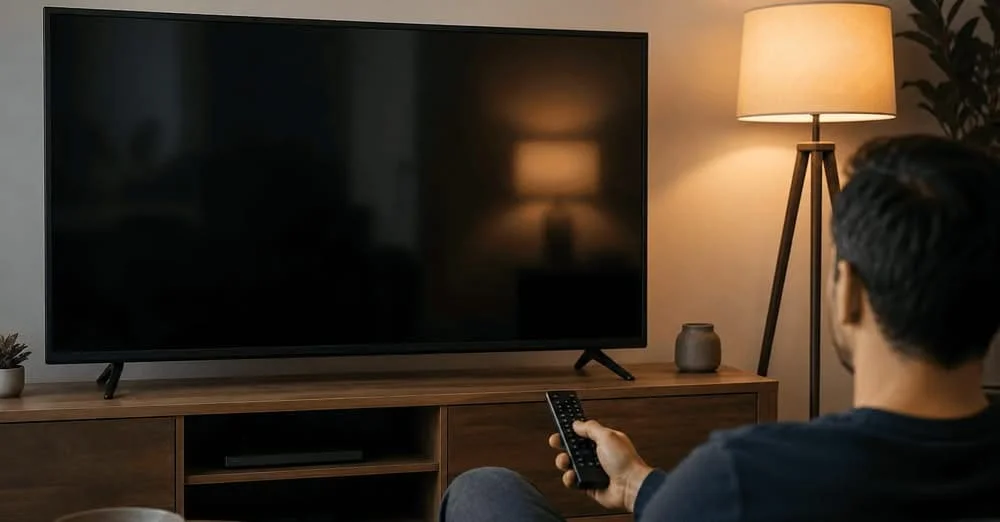

You settle into your couch, grab the remote, and press power. The screen glows to life. But here’s the unsettling truth: something is watching you back.
It’s not a hacker. It’s not the government. It’s your television itself quietly logging everything that flickers across its screen, from your Netflix binges to your cable news habits, and even the DVD you popped in for movie night.
Automatic Content Recognition (ACR) is the invisible engine behind this surveillance. And if you haven’t learned how to turn off ACR and voice tracking on your Smart TV yet, 2026 is the year to take back control of your living room.
What Exactly Is ACR And Why Should You Care?
Automatic Content Recognition is a technology that identifies what’s playing on your screen by capturing audio or visual “fingerprints” of the content . It doesn’t just track what you watch through built in apps it monitors everything displayed, including content from cable boxes, gaming consoles, and Blu-ray players.
On Samsung TVs, ACR takes a screenshot of your screen every 500 milliseconds that’s two snapshots per second, or 7,200 screenshots per hour. Your TV isn’t just showing you content; it’s meticulously documenting your every viewing choice and feeding that data into a profile that advertisers pay top dollar to access.
The financial incentive is staggering. The smart TV ad market is projected to reach “$691 billion by 2033”, up from $255 billion in 2024. Your viewing habits are currency, and TV manufacturers are cashing in.
The Voice Tracking Problem: Your TV Is Listening, Too
ACR isn’t the only privacy concern. Voice tracking adds another layer of intrusion. When you use voice commands, your TV records and analyzes your speech. But here’s where it gets troubling: some manufacturers are shifting legal responsibility onto you.
In 2026, LG updated its webOS terms to require owners to warn household members and guests that their voices may be recorded by the TV. If someone objects, you’re expected to disable all microphone related functions. The manufacturer, in other words, is putting the privacy burden squarely on your shoulders.
The Legal Landscape: Governments Are Finally Taking Notice
2026 has been a watershed year for Smart TV privacy enforcement. In May, Texas Attorney General Ken Paxton announced a settlement with LG over allegations that the company collected Texans’ viewing data without informed consent. The agreement requires LG to display clear pop up disclosures and provide users with a direct way to opt out.
Samsung faced similar scrutiny. Under a separate agreement, the company must obtain explicit consent from Texas users before collecting any ACR data and update its TV systems with clear disclosure and consent interfaces.
But here’s the catch: these settlements apply primarily to Texas residents. If you live elsewhere, your TV is likely still tracking you by default.
How to Turn Off ACR & Voice Tracking in 2026: Brand-by-Brand Guide
Disabling these features takes effort, but it’s absolutely worth it. Here’s how to lock down your privacy across the major platforms:
Samsung (Tizen OS)
- Press Home on your remote
- Navigate to the Sidebar (left menu)
- Select Privacy Choices → Terms & Conditions
- Uncheck “Viewing Information Services” to disable ACR
- Disable “Interest-Based Ads”
- Navigate to Settings → Support → Terms & Privacy → Privacy Choices → Voice Recognition Services to turn off voice data collection
LG (webOS)
- Press Settings → General (or System)
- Select Additional Settings
- Toggle off “Live Plus” (LG’s ACR system)
- Return to Settings → General → Advertisements
- Enable “Limit Ad Tracking” or “Do Not Sell My Personal Information”
- Navigate to User Agreements and opt out of Viewing Information, Interest-Based Advertising, Voice Information, and Live Plus wherever toggles appear
Roku TVs
- Go to Settings → Privacy
- Select Smart TV Experience
- Uncheck “Use Info from TV Inputs” to stop ACR on external devices
- Visit Advertising settings to limit ad tracking and disable personalized ads
Amazon Fire TV
- Go to Settings → Preferences → Privacy Settings
- Turn off Device Usage Data
- Disable Collect App and Over-the-Air Usage
- Turn off Interest-Based Ads
Sony (Google TV / Android TV)
- Navigate to Settings → Initial Setup → Samba Interactive TV and disable everything
- Go to Settings → About → Ads and turn off personalization
The Trade-Off: What You Lose When You Opt Out
Disabling ACR and voice tracking isn’t a free lunch. You’ll trade some convenience for privacy protection.
- Voice commands may become less reliable or stop working entirely
- Content recommendations become generic no more eerily accurate “because you watched” suggestions
- “Continue watching” features across apps may disappear
Think of it as switching from autocorrect to manual typing: a bit more effort, but you’re in full control.
One critical warning: TV updates often reset privacy controls to manufacturer friendly defaults . Make it a habit to check your settings after every system update.
Beyond ACR: The Bigger Privacy Picture
ACR and voice tracking are just the tip of the iceberg. Recent research revealed that over 2,000 apps on Samsung and LG smart TVs contain residential proxy SDKs software that uses your home internet connection to route other people’s traffic, effectively turning your TV into a web scraping node for AI training. All of this happens through consent dialogs buried deep in menus that most users never fully read.
Take Back Your Living Room Today
Your Smart TV doesn’t need to be a spy in your living room. Learning how to turn off ACR and voice tracking is one of the most impactful privacy moves you can make in 2026. It takes less than five minutes, costs nothing, and puts you back in the driver’s seat of your personal data.
Quick Privacy Checklist:
- Disable ACR (Viewing Information Services / Live Plus / Smart TV Experience)
- Turn off voice data collection
- Limit ad tracking and reset your ad ID
- Review user agreements and opt out of data sharing
- Check settings after every system update
What’s your experience with Smart TV privacy settings? Did you find these steps helpful? Drop a comment below or share this guide with someone who needs to reclaim their living room privacy. And if you’re ready to dive deeper, explore our complete guide to smart home privacy for more ways to protect your digital life.
Written by by The Everyday Scroll | AI & Security Expert | 4+ years in fintech & tech. Not financial advice always consult a qualified advisor.